import pandas as pd
import shapely as sp
import contextily as ctx
import geopandas as gpd
import matplotlib.pyplot as plt
import numpy as np
import rasterio
import rasterio.plot
import requests
import requests
import tempfileGeographic data manipulation
Geographic data
Outline for this part: - Vector data - Raster data - CRS - Vector / Raster interactions - Recap Exercise
Vector data
Introduction
# "https://datacatalogfiles.worldbank.org/ddh-published/0038272/5/DR0095370/World Bank Official Boundaries (GeoPackage)/World Bank Official Boundaries - Admin 0.gpkg"
world = gpd.read_file("./data/countries.gpkg")
world| ISO_A3 | ISO_A2 | WB_A3 | HASC_0 | GAUL_0 | WB_REGION | WB_STATUS | SOVEREIGN | NAM_0 | geometry | |
|---|---|---|---|---|---|---|---|---|---|---|
| 0 | CHN | CN | CHN | CN | 147295 | EAP | Member State | CHN | China | MULTIPOLYGON (((117.58675 38.59517, 117.58909 ... |
| 1 | JPN | JP | JPN | JP | 126 | Other | Member State | JPN | Japan | MULTIPOLYGON (((137.48411 34.67386, 137.46683 ... |
| 2 | KOR | KR | KOR | KR | 202 | EAP | Member State | KOR | Republic of Korea | MULTIPOLYGON (((126.05363 36.19852, 126.05372 ... |
| 3 | PRK | KP | PRK | KP | 67 | Other | Non Member State | PRK | D. P. R. of Korea | MULTIPOLYGON (((126.95508 38.16282, 126.95184 ... |
| 4 | RUS | RU | RUS | RU | 204 | ECA | Member State | RUS | Russian Federation | MULTIPOLYGON (((130.61904 48.88019, 130.60659 ... |
| ... | ... | ... | ... | ... | ... | ... | ... | ... | ... | ... |
| 259 | UMI | UM | UMI | UM | 129 | Other | Territory | USA | U.S. Minor Outlying Islands (U.S.) | MULTIPOLYGON (((-169.51424 16.75948, -169.5177... |
| 260 | UMI | UM | UMI | UM | 190 | Other | Territory | USA | U.S. Minor Outlying Islands (U.S.) | MULTIPOLYGON (((-162.05749 5.87833, -162.05696... |
| 261 | URY | UY | URY | UY | 260 | LCR | Member State | URY | Uruguay | MULTIPOLYGON (((-56.65825 -30.20105, -56.65254... |
| 262 | WLF | WF | WLF | WF | 266 | Other | Territory | FRA | Wallis and Futuna (Fr.) | MULTIPOLYGON (((-176.24899 -13.30266, -176.247... |
| 263 | WSM | WS | WSM | WS | 212 | EAP | Member State | WSM | Samoa | MULTIPOLYGON (((-172.40519 -13.45112, -172.400... |
264 rows × 10 columns
- Attribute data, like the name of a country in the
NAM_0column- this is plain tabular data like used before in this course
- Geometry data, which describes the shape & location of objects in the
geometrycolumn- the shape and location of country borders in this case
- this is new and what this session is about
We’ll be using GeoPandas which is an extension of Pandas - GeoDataFrame is an extension of DataFrame, which works exactly like a standard dataframe for the non-geometry variables
world_viz = world.copy()
world_viz.geometry = world_viz.geometry.simplify(0.1, preserve_topology=True)
world_viz[["NAM_0", "geometry"]].explore() Make this Notebook Trusted to load map: File -> Trust Notebook
type(world)geopandas.geodataframe.GeoDataFrametype(world["NAM_0"])pandas.core.series.SeriesNon-geometry variables are pandas.Series.
Everything works like pandas, e.g. sub-setting lines
world[world["NAM_0"].str.startswith("A")]| ISO_A3 | ISO_A2 | WB_A3 | HASC_0 | GAUL_0 | WB_REGION | WB_STATUS | SOVEREIGN | NAM_0 | geometry | |
|---|---|---|---|---|---|---|---|---|---|---|
| 11 | AFG | AF | AFG | AF | 1 | SAR | Member State | AFG | Afghanistan | MULTIPOLYGON (((70.04663 37.5436, 70.05191 37.... |
| 13 | AZE | AZ | AZE | AZ | 0 | ECA | Member State | AZE | Azerbaijan | MULTIPOLYGON (((48.58181 38.45645, 48.58317 38... |
| 29 | ARM | AM | ARM | AM | 13 | ECA | Member State | ARM | Armenia | MULTIPOLYGON (((43.68259 40.25587, 43.68098 40... |
| 33 | EGY | EG | EGY | EG | 40765 | MENA | Member State | EGY | Arab Republic of Egypt | MULTIPOLYGON (((32.64541 29.16771, 32.64631 29... |
| 79 | ALA | AX | FIN | FI | 84 | Other | Territory | FIN | Aaland (Fin.) | MULTIPOLYGON (((20.48192 59.98584, 20.46913 59... |
| 87 | ALB | AL | ALB | AL | 3 | ECA | Member State | ALB | Albania | MULTIPOLYGON (((20.46186 41.55588, 20.4564 41.... |
| 88 | AUT | AT | AUT | AT | 18 | Other | Member State | AUT | Austria | MULTIPOLYGON (((15.54101 48.90802, 15.55985 48... |
| 108 | AND | AD | ADO | AD | 7 | Other | Member State | AND | Andorra | MULTIPOLYGON (((1.4617 42.50603, 1.46782 42.50... |
| 110 | DZA | DZ | DZA | DZ | 4 | MENA | Member State | DZA | Algeria | MULTIPOLYGON (((2.8951 36.78406, 2.89512 36.78... |
| 143 | AGO | AO | AGO | AO | 8 | AFR | Member State | AGO | Angola | MULTIPOLYGON (((12.54809 -13.52741, 12.54561 -... |
| 179 | AUS | AU | AUS | AU | 17 | Other | Member State | AUS | Australia | MULTIPOLYGON (((150.76958 -35.1223, 150.76522 ... |
| 186 | AIA | AI | AIA | AI | 9 | Other | Territory | GBR | Anguilla (U.K.) | MULTIPOLYGON (((-63.02687 18.25783, -63.02436 ... |
| 187 | ATG | AG | ATG | AG | 11 | LCR | Member State | ATG | Antigua and Barbuda | MULTIPOLYGON (((-61.87438 17.68673, -61.88454 ... |
| 188 | AUS | AU | AUS | AU | 16 | Other | Territory | AUS | Ashmore and Cartier Islands (Aus.) | MULTIPOLYGON (((122.96872 -12.24465, 122.96322... |
| 222 | ABW | AW | ABW | AW | 14 | Other | Territory | NLD | Aruba (Neth.) | MULTIPOLYGON (((-70.05108 12.5654, -70.04885 1... |
| 244 | ARG | AR | ARG | AR | 12 | LCR | Member State | ARG | Argentina | MULTIPOLYGON (((-58.37783 -26.87214, -58.37819... |
| 246 | ASM | AS | ASM | AS | 5 | Other | Territory | USA | American Samoa (U.S.) | MULTIPOLYGON (((-170.67646 -14.24338, -170.671... |
world[world["NAM_0"].str.startswith("A")].plot()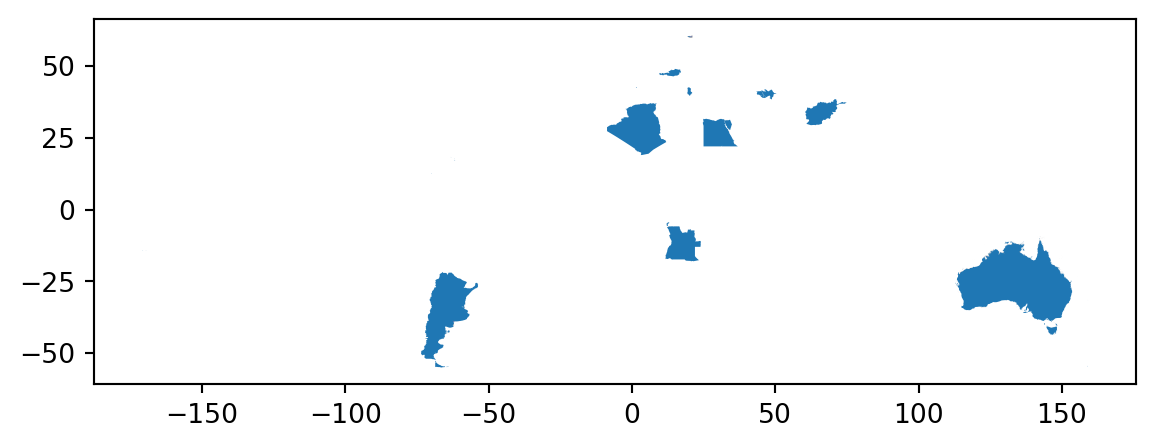
SF objects
Geoseries use the “simple features” standard to describe the shape and location of geographical objects.
A GeoDataFrame can have any number of columns with geographic data but it has a single geometry “active” at a time, which can be set with .set_geometry - the standard is to call it geometry as well
type(world.geometry)geopandas.geoseries.GeoSeriestype(world["geometry"])geopandas.geoseries.GeoSeriesPoints are defined by two coordinates (x, y) :
point = gpd.GeoSeries.from_wkt(["POINT(0 0)"])
# WKT stands for "well known text" representation, a standard markup language to represent vector geometry object
point0 POINT (0 0)
dtype: geometrypoint.plot()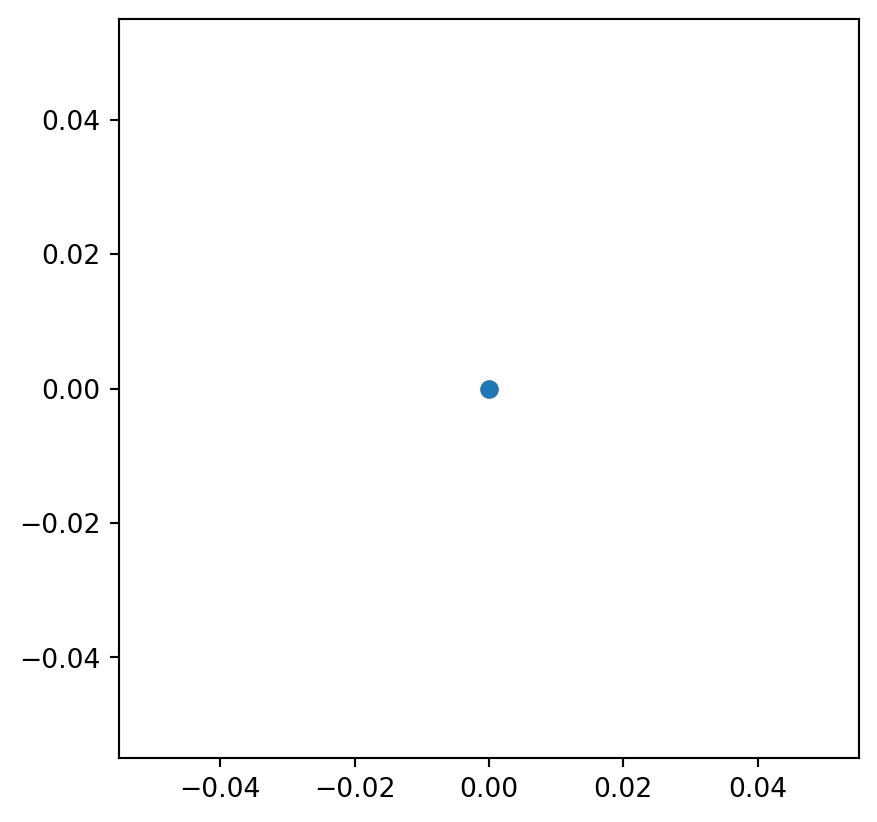
A line is an array of points
line = gpd.GeoSeries.from_wkt(["LINESTRING(0 0, 10 10, -10 10, 25 20)"])
line.plot()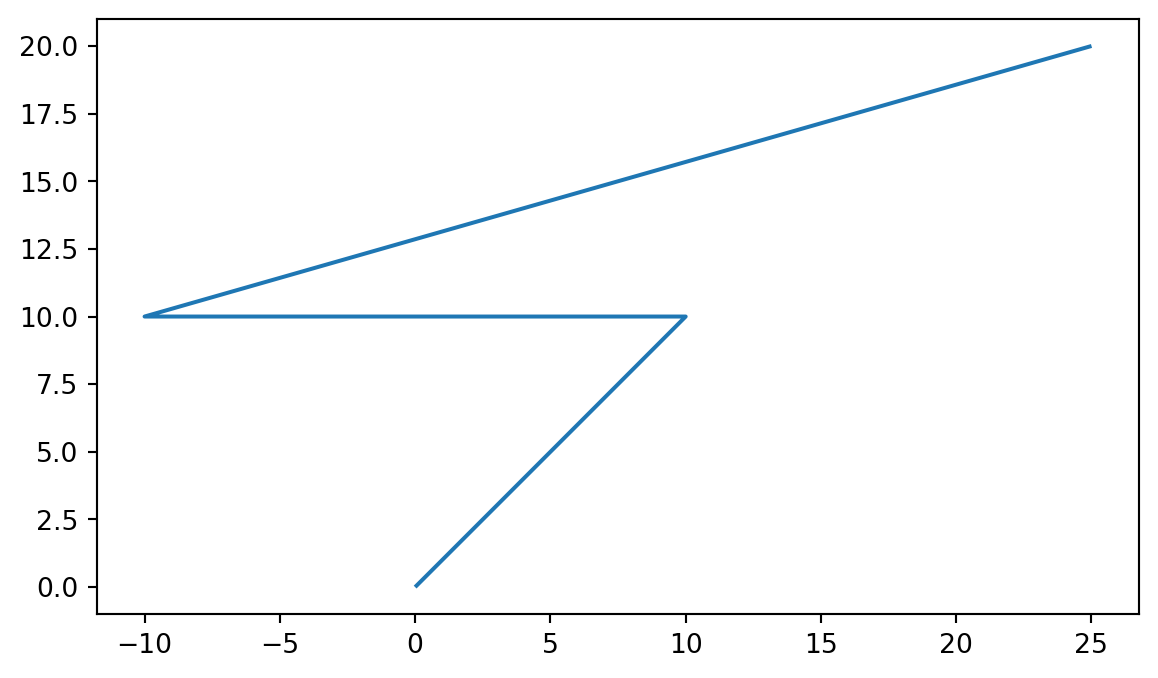
Polygons are areas defined by a line string whose first and last point are the same
polygon = gpd.GeoSeries.from_wkt(["POLYGON((0 0, 10 10, -10 10, -10 3, 0 0))"])
polygon.plot() 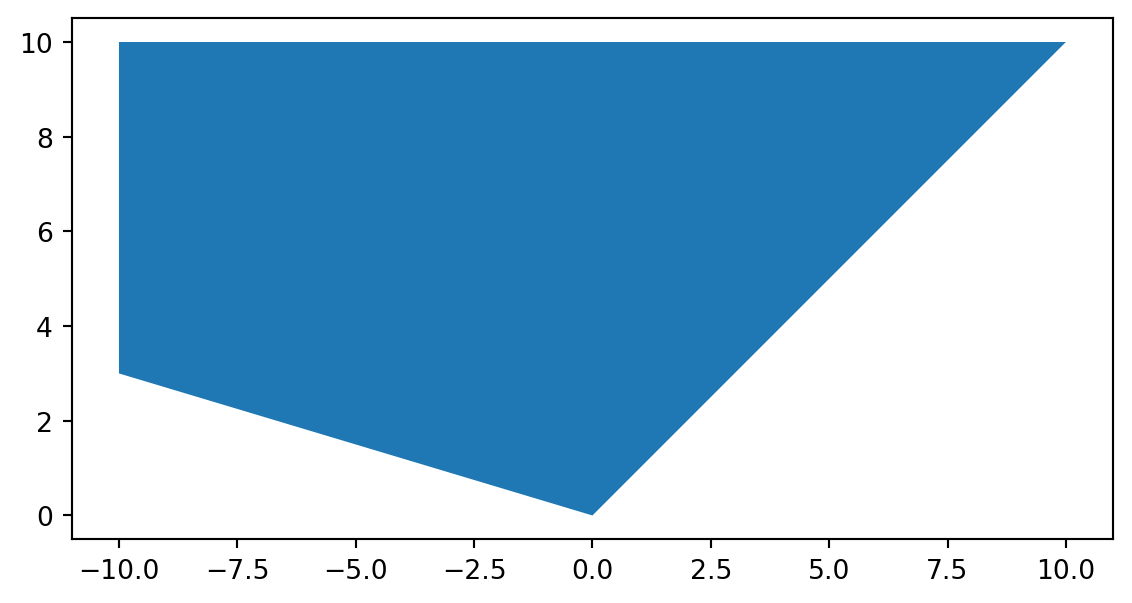
MultiPoints, MultiLineStrings and MultiPolygons are simply an array of Points, LineStrings or Polygons
france = world[world["NAM_0"] == "France"]
france["geometry"]70 MULTIPOLYGON (((55.38132 -20.89142, 55.38385 -...
83 MULTIPOLYGON (((45.14231 -12.92269, 45.13968 -...
92 MULTIPOLYGON (((-1.13006 49.2843, -1.13082 49....
200 MULTIPOLYGON (((-61.59331 15.87191, -61.59649 ...
202 MULTIPOLYGON (((-52.24012 4.23658, -52.23805 4...
209 MULTIPOLYGON (((-61.00384 14.57096, -61.00338 ...
Name: geometry, dtype: geometryfrance.explore()Make this Notebook Trusted to load map: File -> Trust Notebook
| Type | Use Case | Example |
|---|---|---|
| Point | Locations | Cities, sensors |
| LineString | Routes | Roads, rivers |
| Polygon | Areas | Countries, buildings |
| MultiPolygon | Disjoint areas | Archipelagos, split regions |
Practise
- Load the country dataset
- Filter to only NON members of the WB (WB_STATUS != “Member State”)
- Plot them
world = gpd.read_file("./data/countries.gpkg")
world_bank_members = world[world['WB_STATUS'] != "Member State"]
world_bank_members.explore()Make this Notebook Trusted to load map: File -> Trust Notebook
Manipulation
france = world[world["NAM_0"] == "France"].reset_index().to_crs(epsg = 3857)
france_geometry = france.geometry.unary_union
paris_df = pd.DataFrame({
"ADMIN" : ["Paris"],
"Latitude" : [48.85548],
"Longitude" : [2.347421]
})
paris = gpd.GeoDataFrame(
paris_df,
geometry = gpd.points_from_xy(paris_df.Longitude, paris_df.Latitude),
crs = "EPSG:4326"
).to_crs(epsg = 3857)
france.explore()/tmp/ipykernel_26875/3394447242.py:2: DeprecationWarning: The 'unary_union' attribute is deprecated, use the 'union_all()' method instead.
france_geometry = france.geometry.unary_unionMake this Notebook Trusted to load map: File -> Trust Notebook
- Buffer : all points within a certain distance of an object
area_around_paris = paris.buffer(distance = 500 * 1000)
base = france.plot(color = "grey")
area_around_paris.plot(ax = base, color = "red")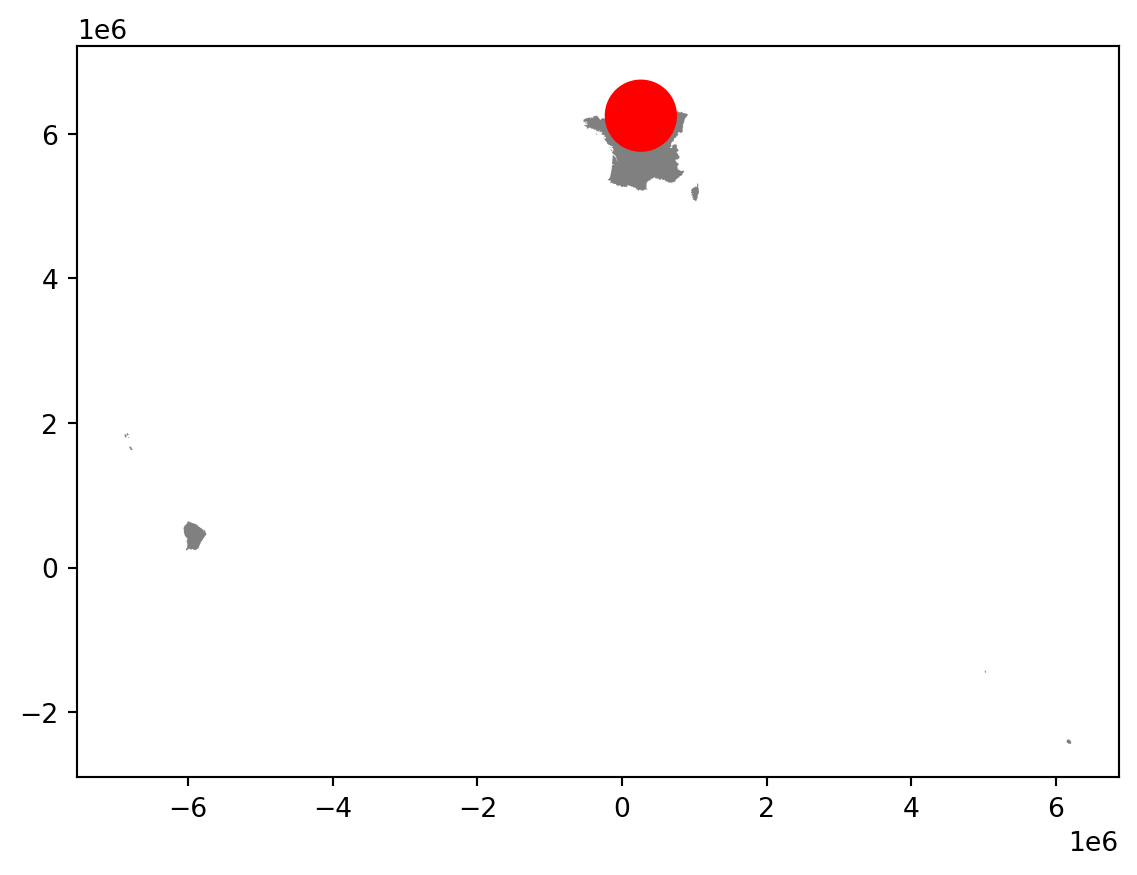
- Intersection of two objects: points within both objects
northern_france = area_around_paris.geometry.intersection(france_geometry)
base = france.plot(color = "grey")
northern_france.plot(ax = base, color = "red")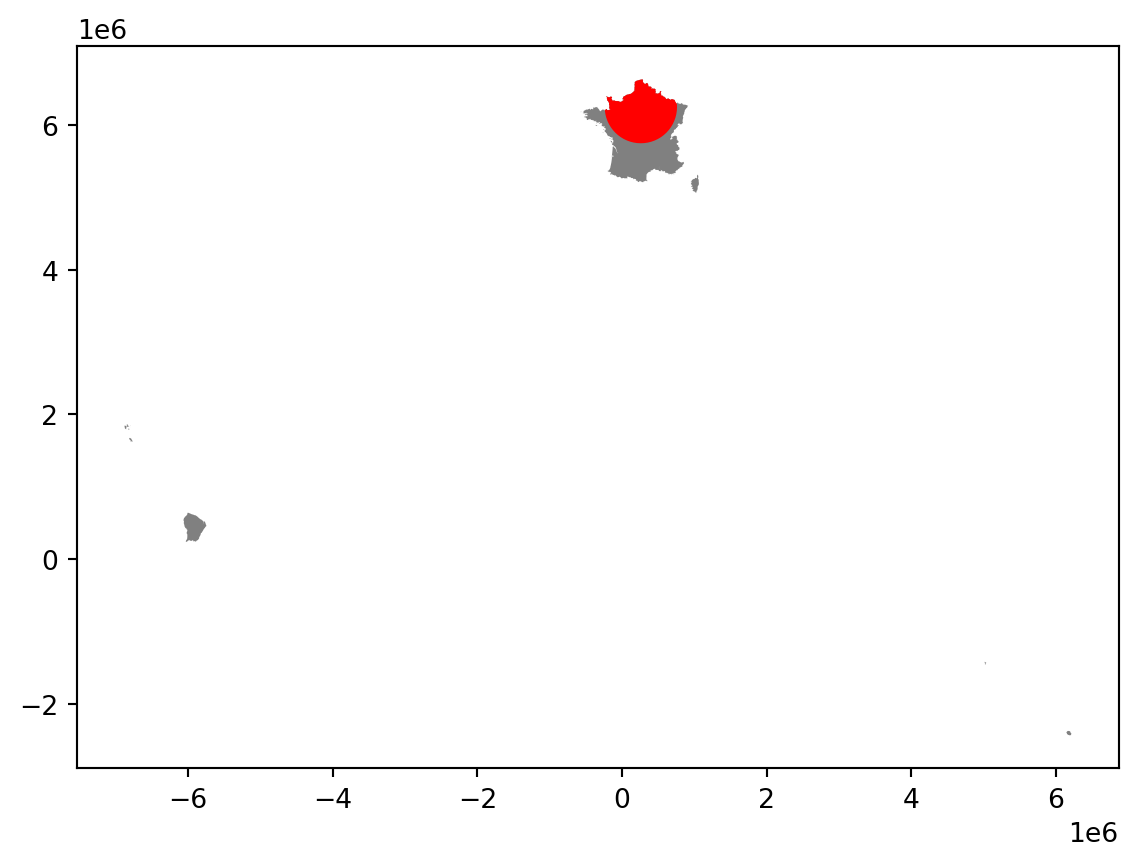
- Simplify : create a simplified geometry
northern_france_simplified = northern_france.simplify(50000)
base = northern_france.plot(color = "grey")
northern_france_simplified.plot(ax = base)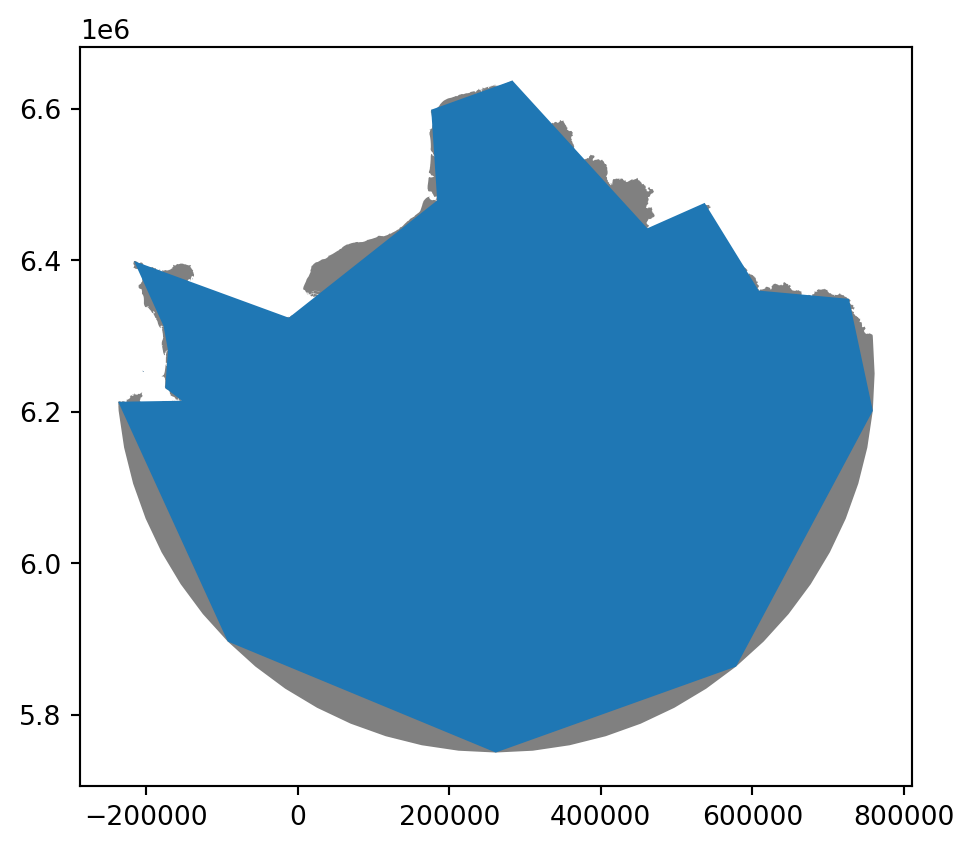
- Difference
france_geometry.difference(northern_france).plot()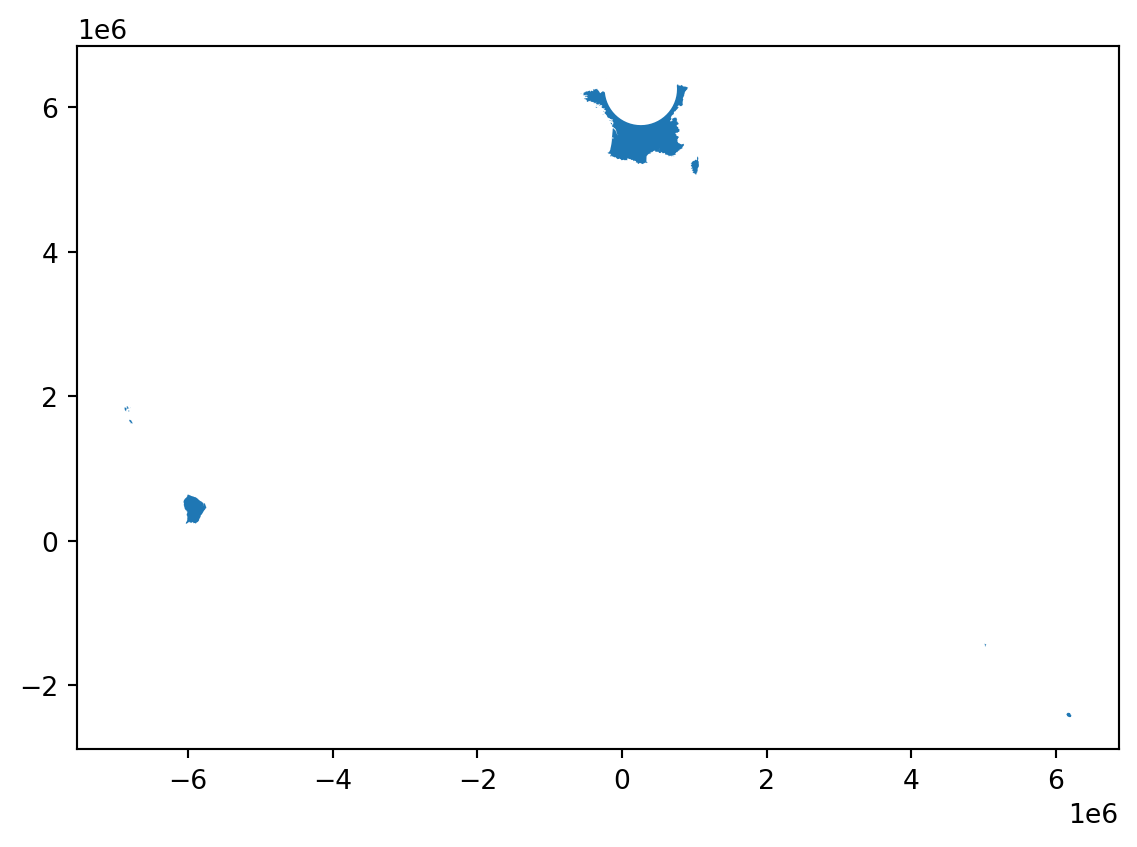
- Centroid, hull, enveloppe
metropolitan_france = paris \
.buffer(distance = 5000 * 1000) \
.geometry.intersection(france_geometry)
base = metropolitan_france.plot(color = "grey")
metropolitan_france.centroid.plot(ax = base)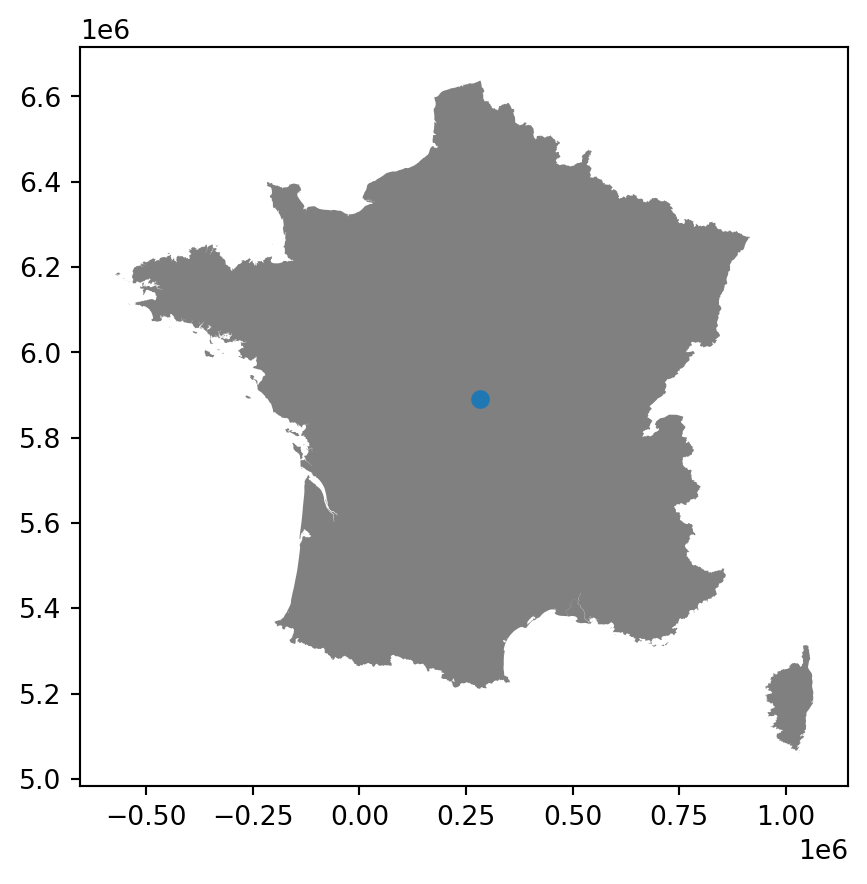
base = metropolitan_france.plot(color = "grey")
metropolitan_france.convex_hull.plot(ax = base, alpha = .5)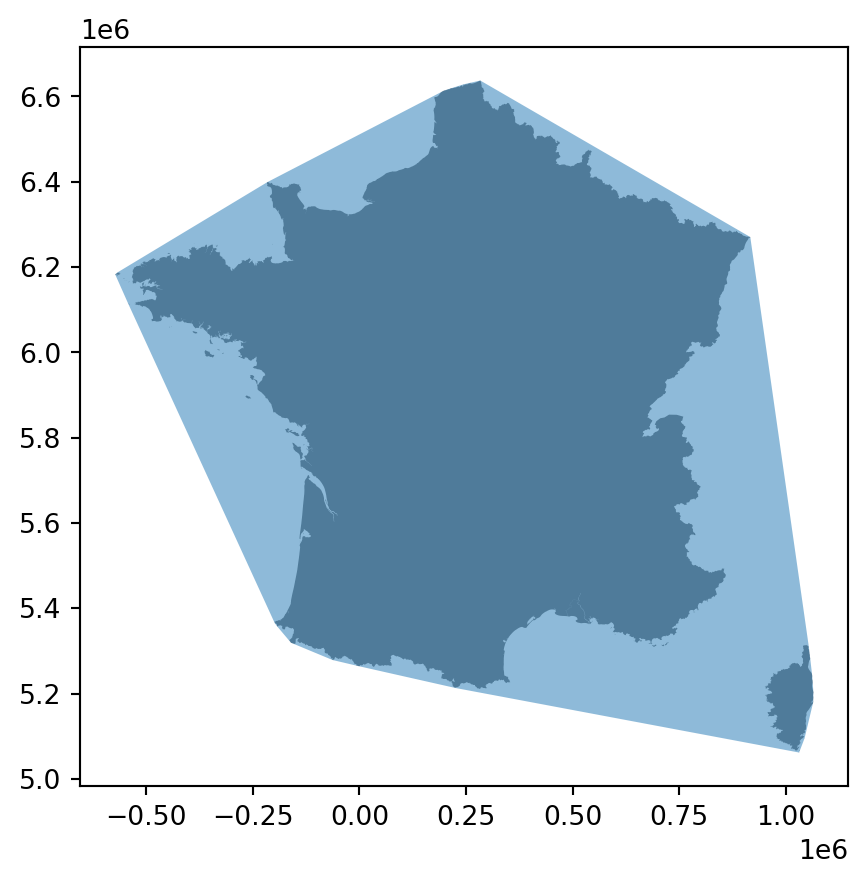
base = metropolitan_france.plot(color = "grey")
metropolitan_france.envelope.plot(ax = base, alpha = .5)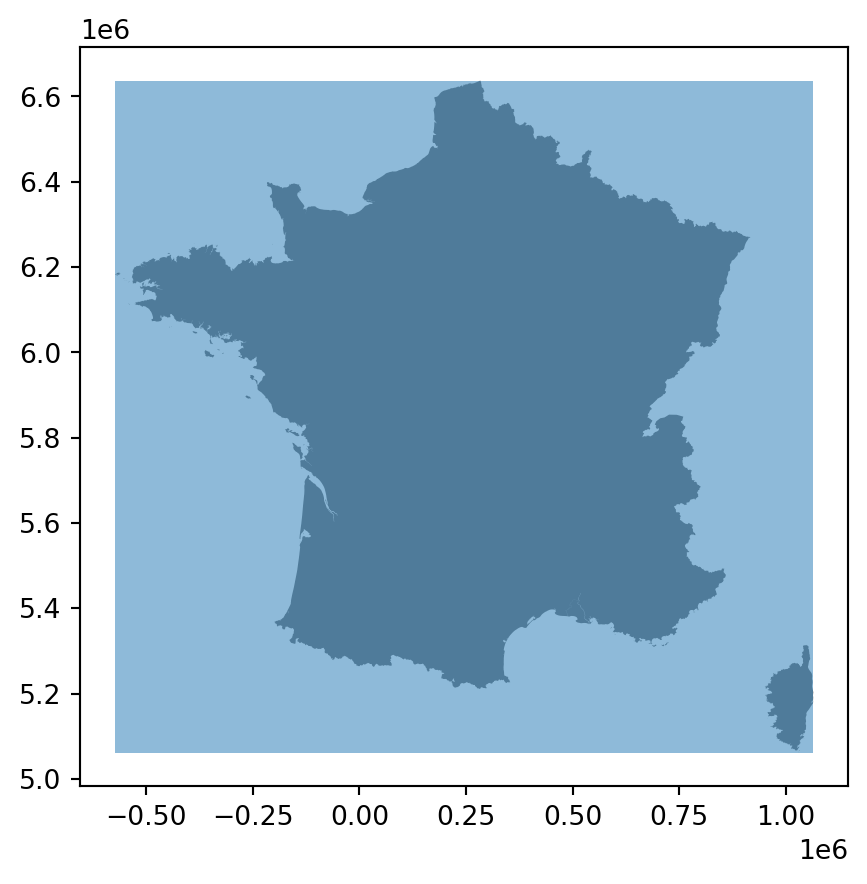
- Dissolve:
- aggregate attributes
- join geometries using
union_all
population_data = pd.read_csv("https://gist.githubusercontent.com/alex4321/0a2da1d87205a6c29f0d4235e9523565/raw/ce9fa5637a670e846a37d9a3d9bf36aea547314d/world-population.csv").rename(columns = {"CCA3": "ISO_A3", "2022 Population": "latest_population"}) [["ISO_A3", "latest_population", "Continent"]]
merged_world = world \
.merge(population_data, on = "ISO_A3", how = "left")
merged_world| ISO_A3 | ISO_A2 | WB_A3 | HASC_0 | GAUL_0 | WB_REGION | WB_STATUS | SOVEREIGN | NAM_0 | geometry | latest_population | Continent | |
|---|---|---|---|---|---|---|---|---|---|---|---|---|
| 0 | CHN | CN | CHN | CN | 147295 | EAP | Member State | CHN | China | MULTIPOLYGON (((117.58675 38.59517, 117.58909 ... | 1.425887e+09 | Asia |
| 1 | JPN | JP | JPN | JP | 126 | Other | Member State | JPN | Japan | MULTIPOLYGON (((137.48411 34.67386, 137.46683 ... | 1.239517e+08 | Asia |
| 2 | KOR | KR | KOR | KR | 202 | EAP | Member State | KOR | Republic of Korea | MULTIPOLYGON (((126.05363 36.19852, 126.05372 ... | 5.181581e+07 | Asia |
| 3 | PRK | KP | PRK | KP | 67 | Other | Non Member State | PRK | D. P. R. of Korea | MULTIPOLYGON (((126.95508 38.16282, 126.95184 ... | 2.606942e+07 | Asia |
| 4 | RUS | RU | RUS | RU | 204 | ECA | Member State | RUS | Russian Federation | MULTIPOLYGON (((130.61904 48.88019, 130.60659 ... | 1.447133e+08 | Europe |
| ... | ... | ... | ... | ... | ... | ... | ... | ... | ... | ... | ... | ... |
| 259 | UMI | UM | UMI | UM | 129 | Other | Territory | USA | U.S. Minor Outlying Islands (U.S.) | MULTIPOLYGON (((-169.51424 16.75948, -169.5177... | NaN | NaN |
| 260 | UMI | UM | UMI | UM | 190 | Other | Territory | USA | U.S. Minor Outlying Islands (U.S.) | MULTIPOLYGON (((-162.05749 5.87833, -162.05696... | NaN | NaN |
| 261 | URY | UY | URY | UY | 260 | LCR | Member State | URY | Uruguay | MULTIPOLYGON (((-56.65825 -30.20105, -56.65254... | 3.422794e+06 | South America |
| 262 | WLF | WF | WLF | WF | 266 | Other | Territory | FRA | Wallis and Futuna (Fr.) | MULTIPOLYGON (((-176.24899 -13.30266, -176.247... | 1.157200e+04 | Oceania |
| 263 | WSM | WS | WSM | WS | 212 | EAP | Member State | WSM | Samoa | MULTIPOLYGON (((-172.40519 -13.45112, -172.400... | 2.223820e+05 | Oceania |
264 rows × 12 columns
merged_world.plot("latest_population")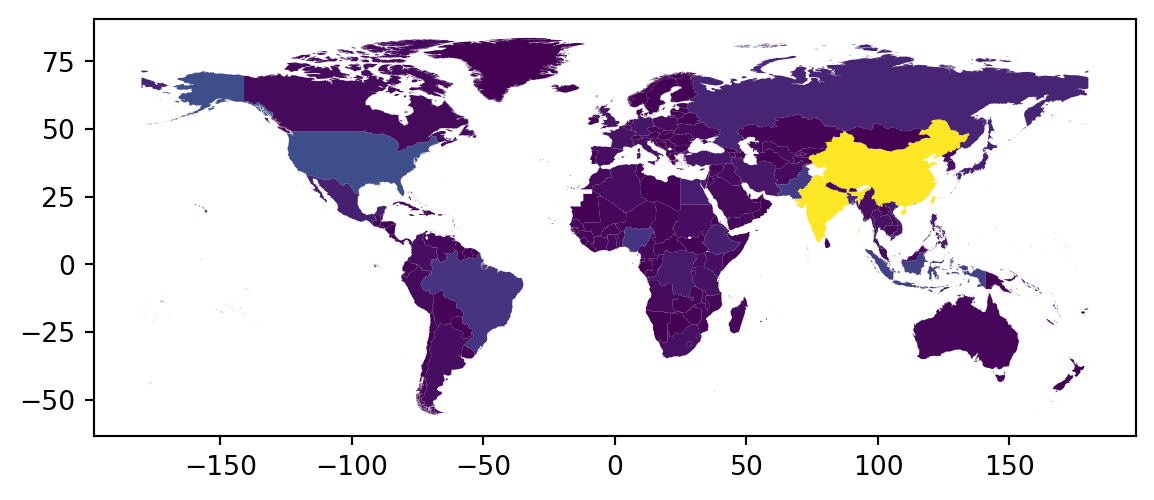
merged_world.plot("Continent")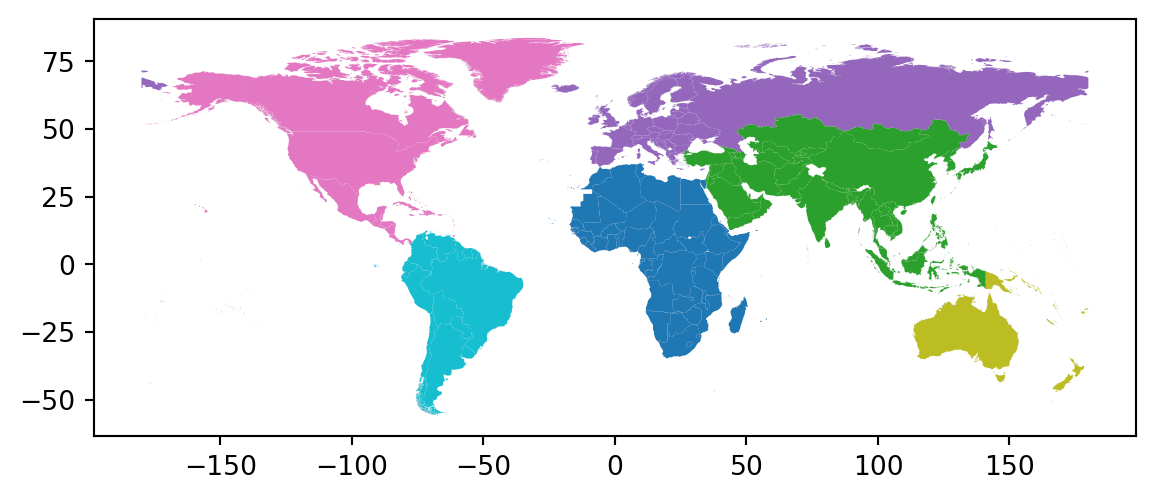
merged_world.groupby("Continent")[['latest_population']].sum().reset_index()| Continent | latest_population | |
|---|---|---|
| 0 | Africa | 1.442475e+09 |
| 1 | Asia | 4.697490e+09 |
| 2 | Europe | 1.173320e+09 |
| 3 | North America | 6.002961e+08 |
| 4 | Oceania | 7.121597e+07 |
| 5 | South America | 4.368128e+08 |
regions = merged_world[["Continent", "latest_population", "geometry"]] \
.dissolve(by = "Continent", aggfunc = "sum") \
.reset_index()
regions| Continent | geometry | latest_population | |
|---|---|---|---|
| 0 | Africa | MULTIPOLYGON (((-16.65703 12.32403, -16.66085 ... | 1.442475e+09 |
| 1 | Asia | MULTIPOLYGON (((43.41959 12.65259, 43.423 12.6... | 4.697490e+09 |
| 2 | Europe | MULTIPOLYGON (((-109.21926 10.28898, -109.2213... | 1.173320e+09 |
| 3 | North America | MULTIPOLYGON (((-157.02337 20.92601, -157.0170... | 6.002961e+08 |
| 4 | Oceania | MULTIPOLYGON (((-176.16808 -44.34635, -176.163... | 7.121597e+07 |
| 5 | South America | MULTIPOLYGON (((-80.83593 -33.75699, -80.83794... | 4.368128e+08 |
regions.plot("latest_population")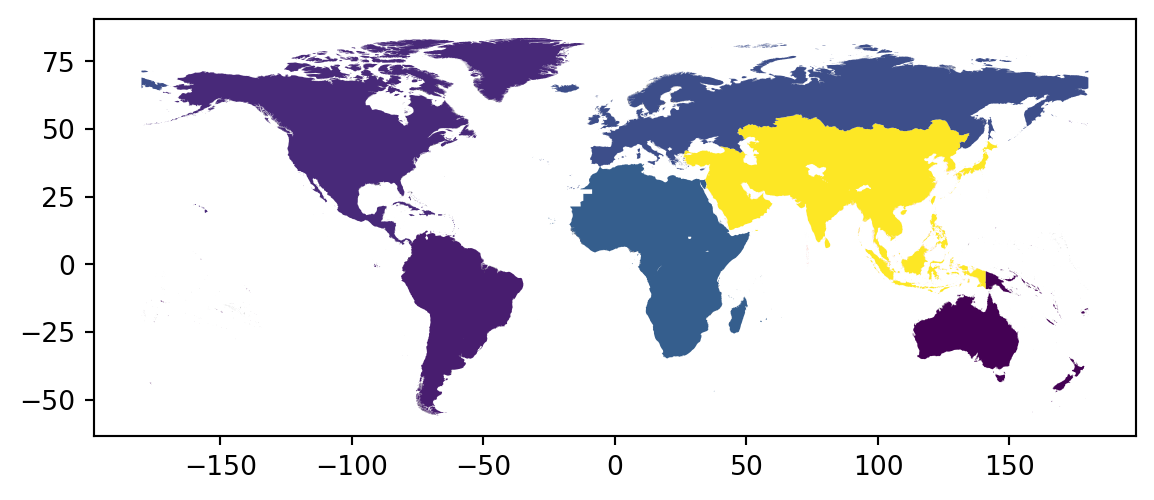
Raster data
Remote sensing tools (eg pictures taken from a satellite) typically output data as a grid of equal-sized cells containing values (eg elevation), where each cell corresponds to a location.
This is known as raster data.
# https://geoservices.ign.fr/bdalti
savoie = rasterio.open('data/savoie.asc', crs = "EPSG:2154")rasterio.plot.show(savoie)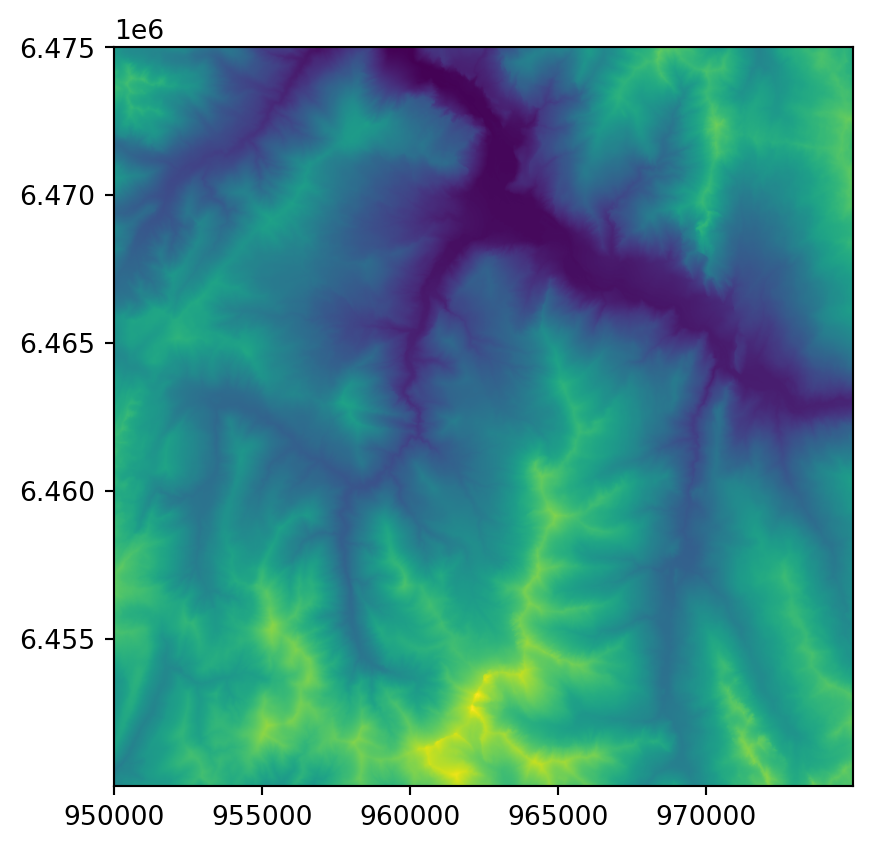
savoie.meta{'driver': 'AAIGrid',
'dtype': 'float32',
'nodata': -99999.0,
'width': 1000,
'height': 1000,
'count': 1,
'crs': None,
'transform': Affine(25.0, 0.0, 949987.5,
0.0, -25.0, 6475012.5)}fig, ax = plt.subplots(figsize=(12, 10))
rasterio.plot.show(savoie, ax=ax)
metropolitan_france.to_crs(epsg = 2154).boundary.plot(ax = ax)
fig.show()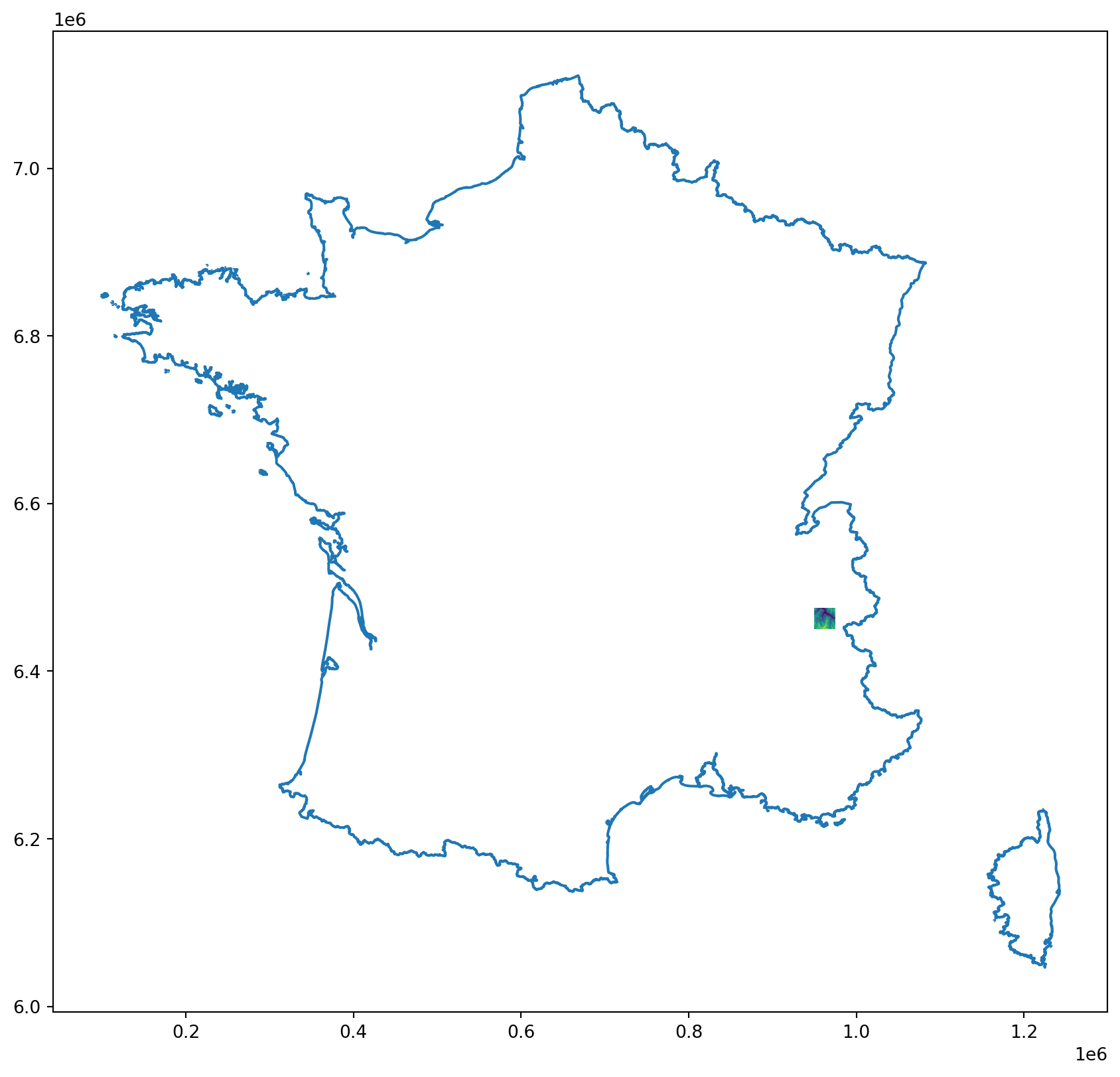
Much like vector data, raster data has: - geometry data: the indices of the cell - attribute data: one or several “bands”
elevation = savoie.read(1)
elevationarray([[2114.4 , 2098.3 , 2085.7 , ..., 2291.3 , 2264.8 , 2245.6 ],
[2111. , 2096.4 , 2081.8 , ..., 2297.3 , 2264.5 , 2240. ],
[2117. , 2097.9 , 2082.1 , ..., 2297.7 , 2265.2 , 2237.8 ],
...,
[1876.97, 1882.37, 1888.06, ..., 2647.9 , 2647.7 , 2634.5 ],
[1870.16, 1874.63, 1879.21, ..., 2643.1 , 2643.2 , 2628.8 ],
[1864.45, 1868.97, 1871.44, ..., 2642.1 , 2639. , 2628.7 ]],
dtype=float32)This is just a numpy 2D array
np.mean(elevation)np.float32(1817.3401)plt.hist(elevation.flatten());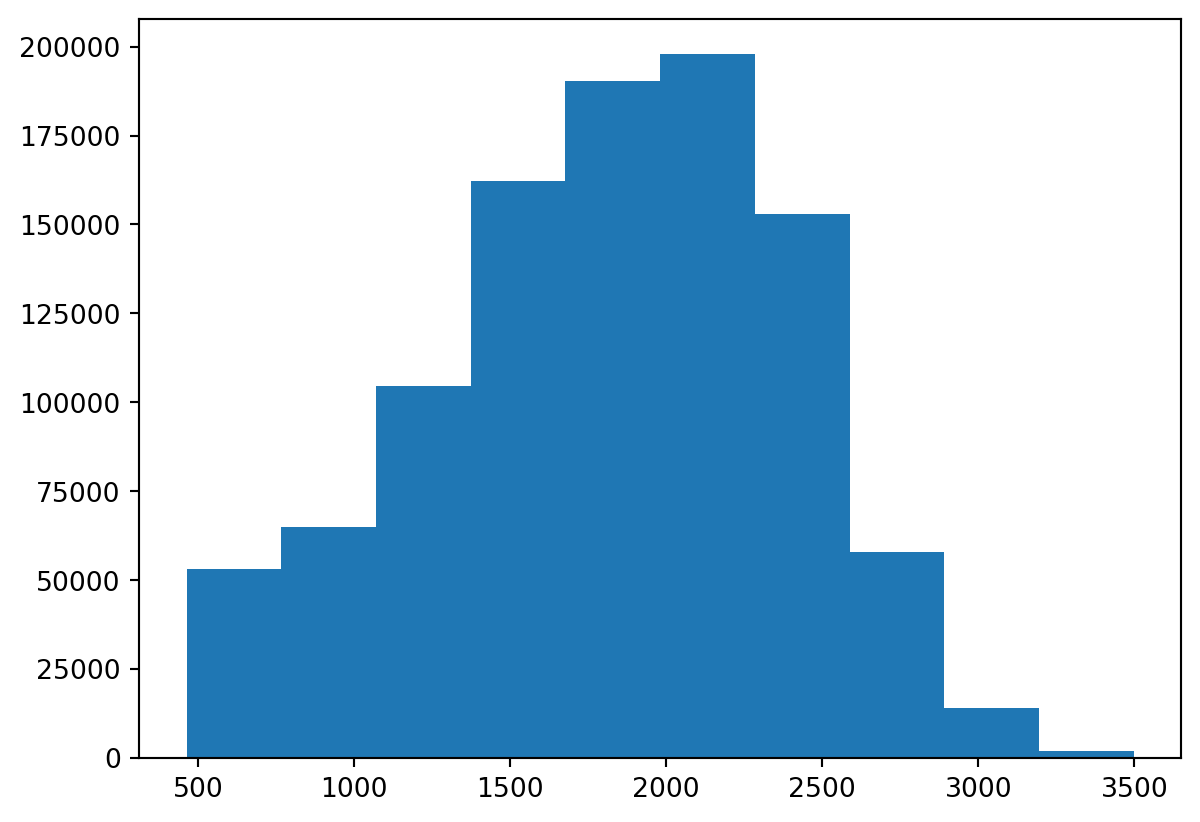
Let’s compute the slope
px, py = np.gradient(elevation, 5)
slope = np.sqrt(px ** 2 + py ** 2)
slopearray([[3.2909856, 2.8950465, 2.5140684, ..., 5.1322513, 4.570389 ,
3.999996 ],
[2.931573 , 2.9202693, 2.654503 , ..., 4.802841 , 5.730144 ,
4.9616942],
[4.0383997, 3.6416566, 3.2983723, ..., 6.1214924, 6.0405617,
5.5834646],
...,
[1.8031999, 1.9270909, 1.7395694, ..., 2.2698996, 1.4103854,
3.0563245],
[1.5384195, 1.6169782, 1.7304919, ..., 1.4052721, 1.6738594,
2.9378042],
[1.4565113, 1.3304282, 1.5725809, ..., 1.1574012, 1.5815256,
2.060107 ]], dtype=float32)rasterio.plot.show(slope, cmap='Reds')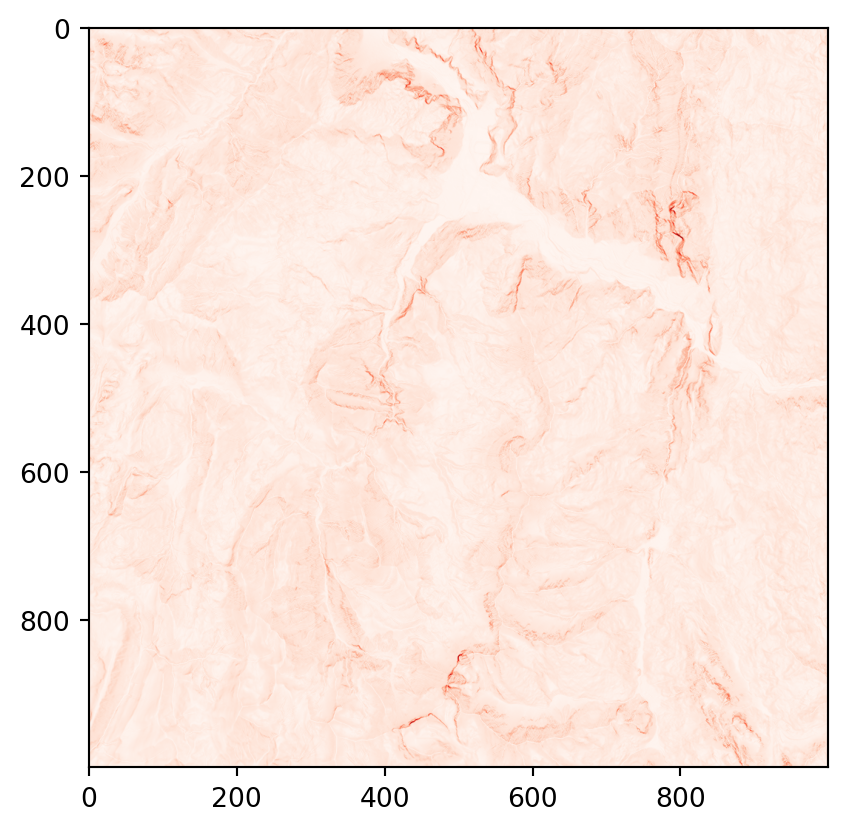
Practice
- Read the
raster_savoie.ascfile - Store the first (and only) band (elevation) in a variable
- Create a new
numpy.ndarraywhose value is 1 when the elevation is above 2000 meters and 0 otherwise - Plot it
savoie = rasterio.open('data/savoie.asc', crs = "EPSG:2154")
above_2000 = savoie.read(1) > 2000
rasterio.plot.show(above_2000, cmap='Reds')
rasterio.plot.show(above_2000 & (slope > 1e3), cmap='Reds')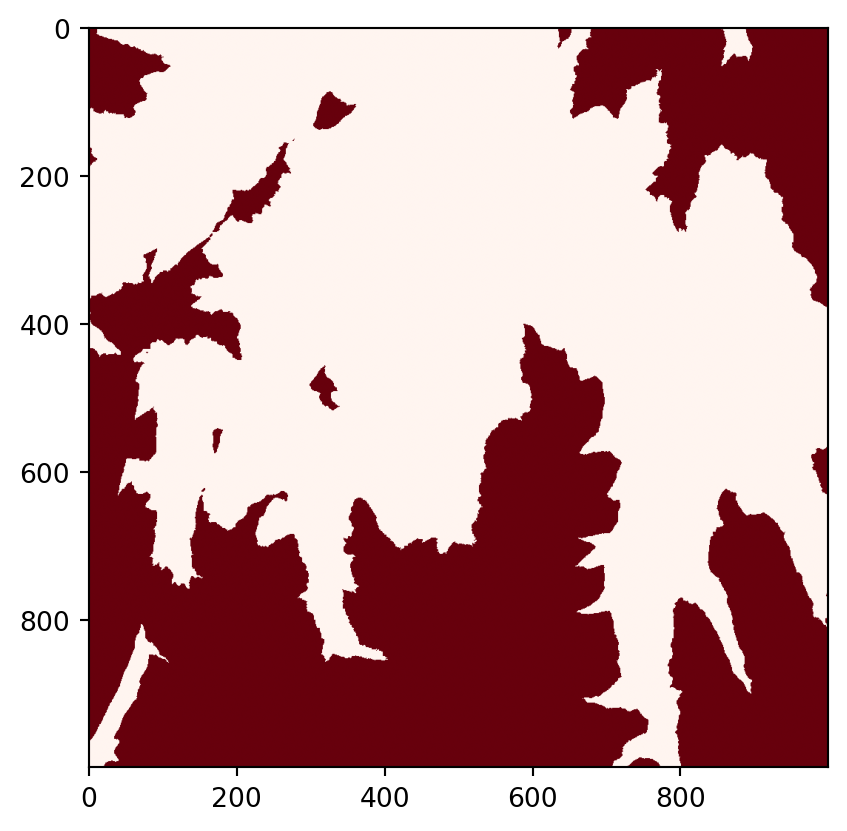
/opt/python/lib/python3.13/site-packages/rasterio/plot.py:375: RuntimeWarning: invalid value encountered in divide
return (band - imin) / (imax - imin)
CRS
Vector objects have coordinates, for instance (0, 0)
point = gpd.GeoSeries.from_wkt(["POINT(0 0)"])
point0 POINT (0 0)
dtype: geometryTo go from an actual physical point on Earth surface to coordinates, we need a few things: - a reference shape for the Earth surface, for instance a sphere (but usually an ellipsoid) - axes with a direction & norm to have a 2D or 3D-coordinate system based on the 3D ellipsoid - some way to go from a 3D ellipsoid to a 2D plane with Cartesian coordinates (this is called a projection) - etc.
This is called a coordinate reference system (CRS)
world.geometry.crs<Geographic 2D CRS: EPSG:4326>
Name: WGS 84
Axis Info [ellipsoidal]:
- Lat[north]: Geodetic latitude (degree)
- Lon[east]: Geodetic longitude (degree)
Area of Use:
- name: World.
- bounds: (-180.0, -90.0, 180.0, 90.0)
Datum: World Geodetic System 1984 ensemble
- Ellipsoid: WGS 84
- Prime Meridian: GreenwichHere for instance we use the WGS84 ellipsoid and the Pseudo-Mercator projection
Different CRSs have different uses, e.g. Mercator projection is useful for navigation (preserves some from of angles) but distorts size of landmasses.
canada = world[world["NAM_0"] == "Canada"]
ax = canada.plot()
ax.set_title("WGS84, Pseudo Mercator")Text(0.5, 1.0, 'WGS84, Pseudo Mercator')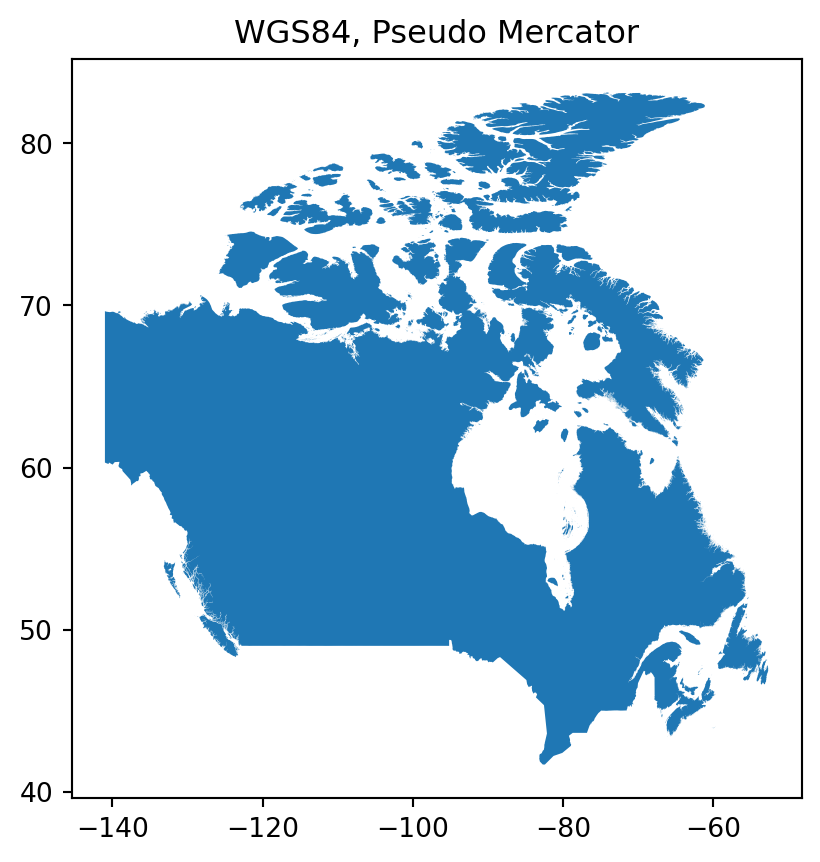
canada_alternative = canada.to_crs(epsg = 6053)
ax = canada_alternative.plot()
ax.set_title(" GR96 / EPSG Arctic zone 3-29 ")Text(0.5, 1.0, ' GR96 / EPSG Arctic zone 3-29 ')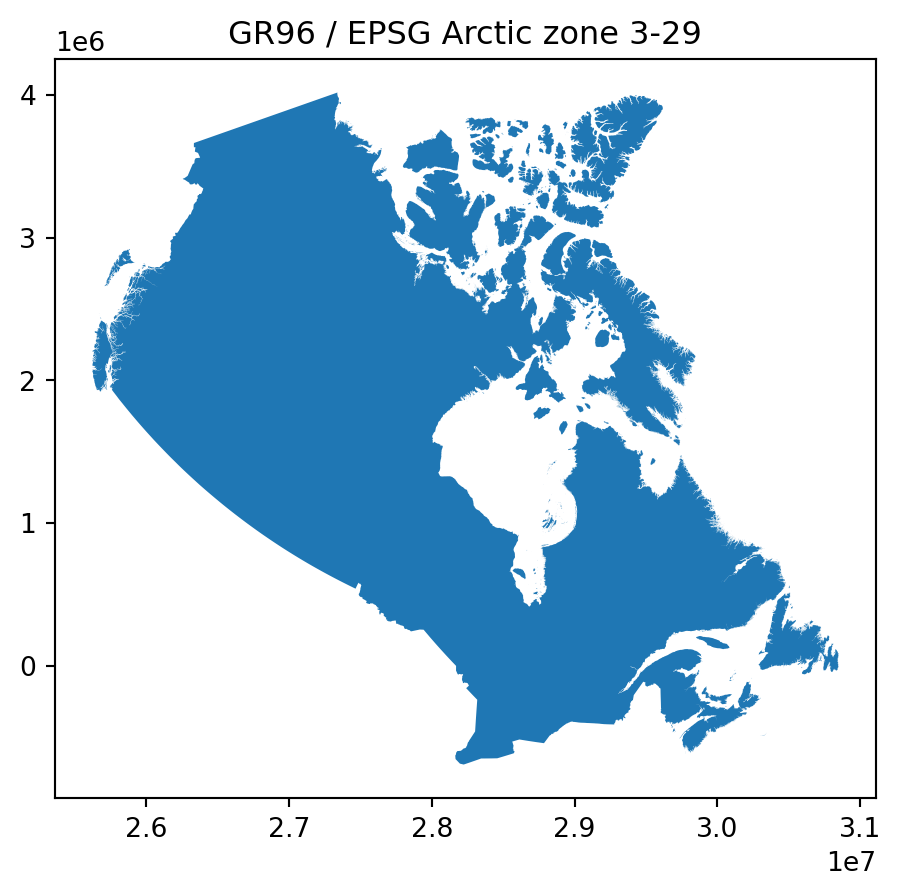
Use the appropriate CRS for your purpose.
If using information from several datasets, make sure to reproject them to the same CRS.
CRS defines how coordinates map to locations on Earth.
Vector / Raster interactions
from shapely.geometry import mapping
from rasterio.mask import mask
communes_url = "https://raw.githubusercontent.com/makinacorpus/tutorials/refs/heads/master/geospatial-analysis/notebooks/data/communes-73-savoie.geojson"
communes = gpd.read_file(communes_url)
communes = communes.to_crs(epsg = 2154)
fig, ax = plt.subplots(figsize=(12, 10))
rasterio.plot.show(savoie, ax=ax)
communes.to_crs(epsg = 2154).boundary.plot(ax = ax)
fig.show()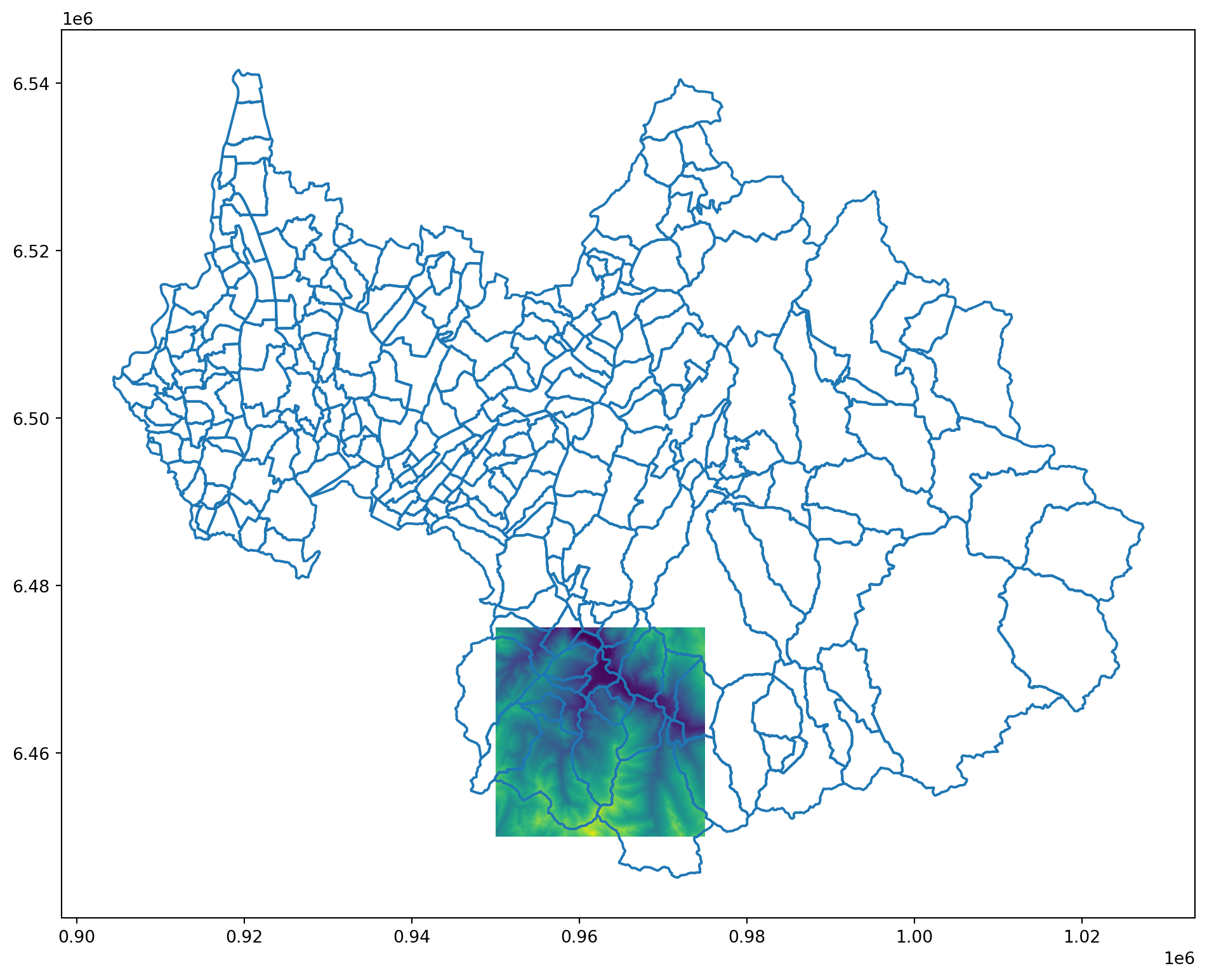
from rasterio.features import rasterize
from shapely.geometry import box, mapping
raster_geom = box(*savoie.bounds)
intersection = communes.union_all().intersection(raster_geom)
out_image, out_transform = mask(savoie, [mapping(intersection)], crop=True)
elevation = out_image[0].astype(float)
communes_clipped = gpd.clip(communes, gpd.GeoSeries([intersection], crs="EPSG:2154"))
rasterio.plot.show(elevation)
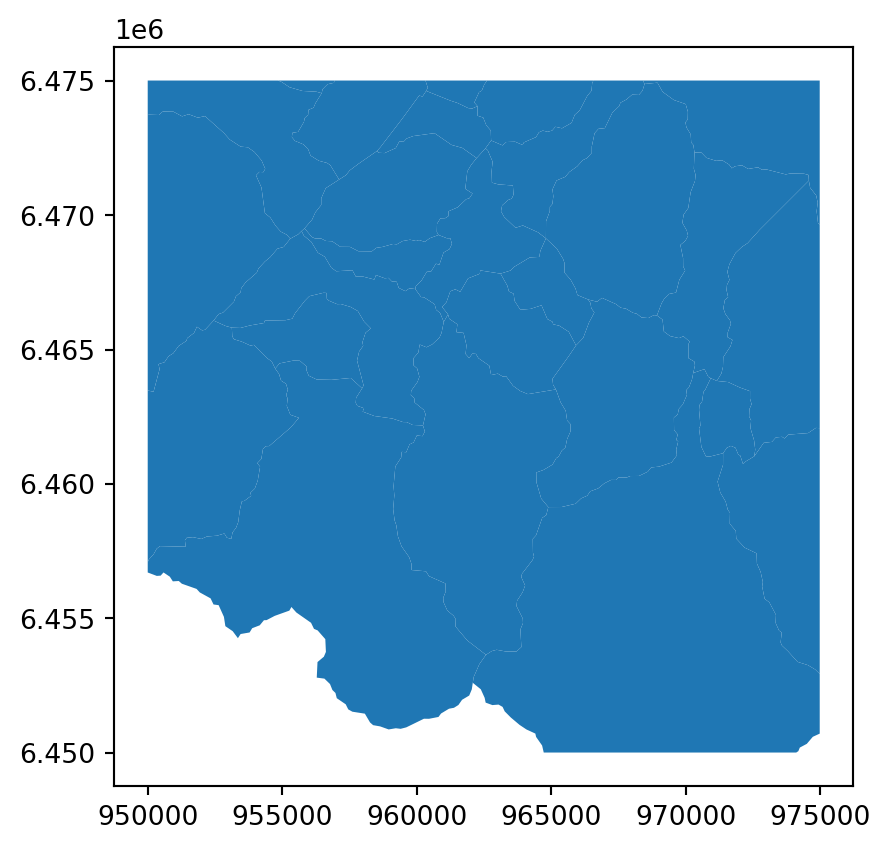
communes_clipped.plot()
def mean_from_rasterized(geom, arr, transform):
mask_arr = rasterize([ (mapping(geom), 1) ],
out_shape=arr.shape,
transform=transform,
fill=0,
dtype='uint8')
vals = arr[mask_arr.astype(bool)]
return float(np.nanmean(vals)) if vals.size else np.nan
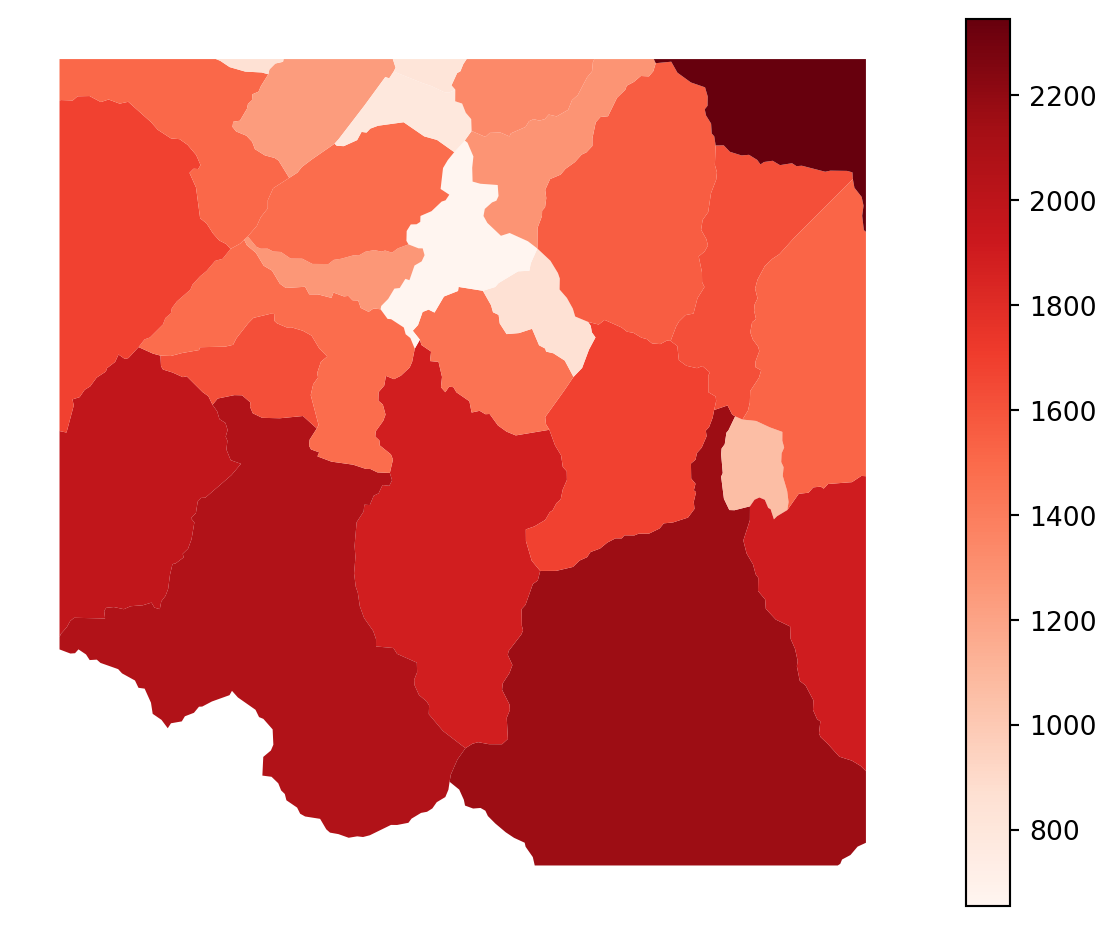
communes_clipped["mean_elev_m"] = communes_clipped.geometry.apply(
lambda g: mean_from_rasterized(g, elevation, out_transform)
)
# 5) Plot choropleth
ax = communes_clipped.plot(column="mean_elev_m", cmap="Reds", legend=True, figsize=(8,6))
ax.set_axis_off()
plt.show()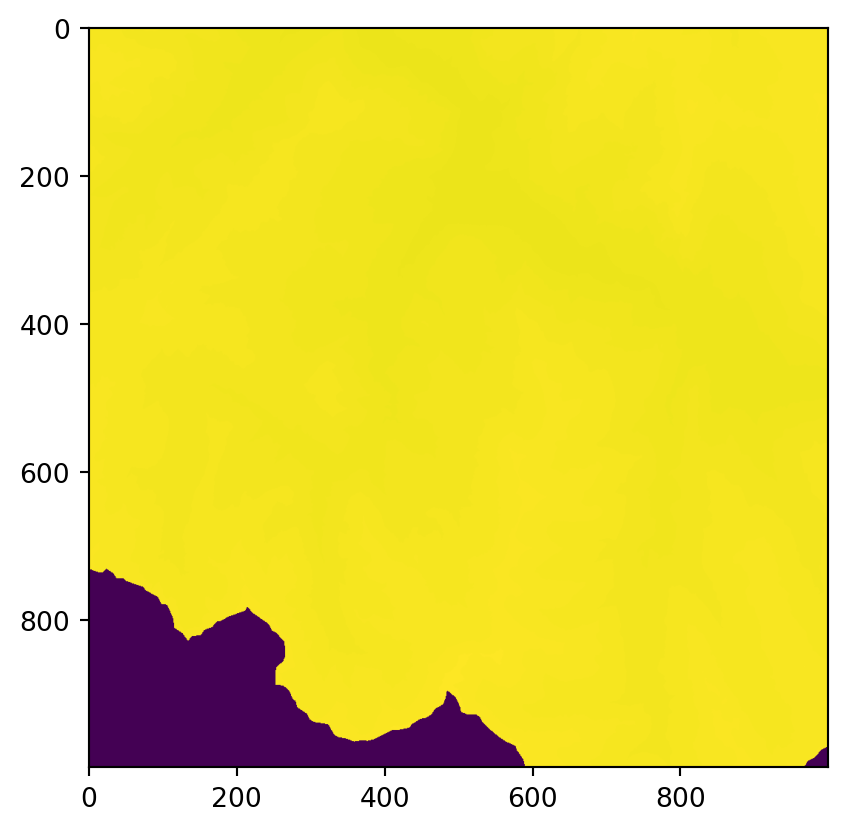
Example recap
- Estimate population at risk from Installations classées pour la protection de l’environnement from census (RP)
pd.read_csv('./data/carreaux_1km_met.csv', sep = ";")| id_carreau_1km | carreau_traite_secret | depcom_liste | pop | pop0014 | pop1564 | pop65p | popf | popfr | poph | pophorsue | popmigr0 | popmigrfr | popmigrhorsfr | popue | |
|---|---|---|---|---|---|---|---|---|---|---|---|---|---|---|---|
| 0 | FR_CRS3035RES1000mN2031000E4252000 | 0 | 2A041 | 49.366356 | 7.003686 | 36.279018 | 6.083652 | 23.215187 | 43.317963 | 26.151169 | 4.043924 | 44.332018 | 5.034338 | 0.000000 | 2.004469 |
| 1 | FR_CRS3035RES1000mN2032000E4250000 | 0 | 2A041 | 676.462260 | 85.103524 | 430.266102 | 161.092635 | 339.373519 | 479.397059 | 337.088741 | 134.139430 | 624.157469 | 39.345787 | 4.987735 | 62.925771 |
| 2 | FR_CRS3035RES1000mN2032000E4251000 | 0 | 2A041 | 387.944534 | 82.789564 | 233.069807 | 72.085163 | 194.168349 | 320.215254 | 193.776185 | 48.708632 | 378.982039 | 7.971944 | 0.000000 | 19.020648 |
| 3 | FR_CRS3035RES1000mN2032000E4252000 | 0 | 2A041 | 284.853500 | 52.595460 | 175.370871 | 56.887168 | 147.461899 | 234.717308 | 137.391601 | 24.124283 | 262.793132 | 20.079133 | 0.000000 | 26.011909 |
| 4 | FR_CRS3035RES1000mN2033000E4250000 | 0 | 2A041 | 252.713326 | 25.710928 | 125.263185 | 101.739212 | 143.438133 | 214.601853 | 109.275193 | 22.018474 | 243.696966 | 8.025809 | 0.000000 | 16.092999 |
| ... | ... | ... | ... | ... | ... | ... | ... | ... | ... | ... | ... | ... | ... | ... | ... |
| 374617 | FR_CRS3035RES1000mN3132000E3798000 | 1 | 59107,59260 | 13.092919 | 1.885822 | 8.811912 | 2.395185 | 6.498882 | 12.256362 | 6.594038 | 0.109271 | 11.360287 | 1.561412 | 0.060365 | 0.727285 |
| 374618 | FR_CRS3035RES1000mN3132000E3799000 | 1 | 59107,59260 | 6.586305 | 0.948650 | 4.432773 | 1.204882 | 3.269219 | 6.165481 | 3.317086 | 0.054968 | 5.714716 | 0.785458 | 0.030366 | 0.365856 |
| 374619 | FR_CRS3035RES1000mN3132000E3800000 | 1 | 59260 | 1.884937 | 0.167971 | 1.182151 | 0.534816 | 1.090212 | 1.800749 | 0.794725 | 0.039001 | 1.763911 | 0.078003 | 0.000000 | 0.045186 |
| 374620 | FR_CRS3035RES1000mN3134000E3796000 | 1 | 59107 | 11.843281 | 1.705832 | 7.970869 | 2.166579 | 5.878603 | 11.086568 | 5.964677 | 0.098842 | 10.276017 | 1.412384 | 0.054604 | 0.657871 |
| 374621 | FR_CRS3035RES1000mN3134000E3799000 | 1 | 59107 | 2.009338 | 0.289412 | 1.352342 | 0.367583 | 0.997367 | 1.880954 | 1.011971 | 0.016770 | 1.743435 | 0.239626 | 0.009264 | 0.111615 |
374622 rows × 15 columns
rp = pd.read_csv('./data/carreaux_1km_met.csv', sep = ";")
s = rp['id_carreau_1km'].astype(str).str.replace(' ', '').str.upper()
s2 = (
s
.str.replace('FR_CRS', '', regex=False)
.str.replace('RES', '|', regex=False)
.str.replace('M', '', regex=False)
.str.replace('N', '|', regex=False)
.str.replace('E', '|', regex=False)
)
parts = s2.str.split('|')
rp['epsg'] = pd.to_numeric(parts.str[0], errors='coerce').astype('Int64')
rp['res_m'] = pd.to_numeric(parts.str[1], errors='coerce')
rp['y'] = pd.to_numeric(parts.str[2], errors='coerce')
rp['x'] = pd.to_numeric(parts.str[3], errors='coerce')
res = rp['res_m']
xmin = rp['x']
ymin = rp['y']
xmax = xmin + res
ymax = ymin + res
from shapely.geometry import box
geoms = [box(xmin.loc[idx], ymin.loc[idx], xmax.loc[idx], ymax.loc[idx]) for idx in rp.index]
rp['geometry'] = geoms
epsg_code = int(rp['epsg'].dropna().unique()[0])
gdf = gpd.GeoDataFrame(rp, geometry='geometry', crs=f'EPSG:{epsg_code}')
gdf = gdf[["pop", "geometry"]]GRID = 5000.0
bounds = gdf.geometry.bounds
gdf = gdf.assign(
minx=bounds['minx'],
miny=bounds['miny']
)
gdf['x25_origin'] = (np.floor(gdf['minx'] / GRID) * GRID).astype(int)
gdf['y25_origin'] = (np.floor(gdf['miny'] / GRID) * GRID).astype(int)
gdf['cell_id_25km'] = gdf['x25_origin'].astype(str) + '_' + gdf['y25_origin'].astype(str)
gdf25 = gdf.dissolve(
by='cell_id_25km',
aggfunc={'pop': 'sum', 'x25_origin': 'first', 'y25_origin': 'first'}
).reset_index()
from shapely.geometry import box
gdf25['geometry'] = gdf25.apply(
lambda r: box(r['x25_origin'], r['y25_origin'],
r['x25_origin'] + GRID, r['y25_origin'] + GRID),
axis=1
)
# keep / reorder columns as desired
gdf = gdf25[['cell_id_25km', 'pop', 'geometry']]icpe = pd.read_csv("./data/icpe.csv", sep = ";")
seveso = icpe[icpe["lib_seveso"] == 'Seveso seuil haut']
seveso[['x', 'y']] = seveso[['x', 'y']].apply(pd.to_numeric, errors='coerce')
epsgs = seveso['code_epsg'].dropna().unique()
epsg = int(epsgs[0])
seveso = gpd.GeoDataFrame(
seveso,
geometry=gpd.points_from_xy(seveso['x'], seveso['y']),
crs=f"EPSG:{epsg}"
)
seveso = seveso[["code_aiot", "geometry"]]/tmp/ipykernel_26875/758005914.py:1: DtypeWarning: Columns (5,7) have mixed types. Specify dtype option on import or set low_memory=False.
icpe = pd.read_csv("./data/icpe.csv", sep = ";")
/tmp/ipykernel_26875/758005914.py:4: SettingWithCopyWarning:
A value is trying to be set on a copy of a slice from a DataFrame.
Try using .loc[row_indexer,col_indexer] = value instead
See the caveats in the documentation: https://pandas.pydata.org/pandas-docs/stable/user_guide/indexing.html#returning-a-view-versus-a-copy
seveso[['x', 'y']] = seveso[['x', 'y']].apply(pd.to_numeric, errors='coerce')metric_crs = gdf.estimate_utm_crs()
gdf = gdf.to_crs(metric_crs)
seveso = seveso.to_crs(metric_crs)
seveso_buff = seveso.copy()
seveso_buff['geometry'] = seveso_buff.geometry.buffer(10000)
seveso_buff_viz = seveso_buff.to_crs(4326).copy()
seveso_buff_viz.geometry = seveso_buff_viz.geometry.simplify(0.001, preserve_topology=True)
seveso_buff_viz[["code_aiot", "geometry"]].explore()Make this Notebook Trusted to load map: File -> Trust Notebook
union = seveso.geometry.buffer(10000).union_all()
gdf['within_1km'] = gdf.geometry.intersects(union)
gdf_near = gdf[gdf['within_1km']]
gdf_near.head()| cell_id_25km | pop | geometry | within_1km | |
|---|---|---|---|---|
| 37 | 3245000_2905000 | 657.700570 | POLYGON ((-58807.844 5377655.605, -59280.534 5... | True |
| 38 | 3245000_2910000 | 12957.515668 | POLYGON ((-59280.534 5382633.946, -59753.374 5... | True |
| 39 | 3245000_2915000 | 3880.915251 | POLYGON ((-59753.374 5387612.263, -60226.366 5... | True |
| 53 | 3250000_2900000 | 1600.406535 | POLYGON ((-53326.211 5373171.381, -53798.657 5... | True |
| 54 | 3250000_2905000 | 65.936681 | POLYGON ((-53798.657 5378149.58, -54271.256 53... | True |
gdf_near_viz = gdf_near.to_crs(4326).copy()
gdf_near_viz.geometry = gdf_near_viz.geometry.simplify(0.0005, preserve_topology=True)
gdf_near_viz[["pop", "geometry"]].sample(min(3000, len(gdf_near_viz))).explore(column='pop')Make this Notebook Trusted to load map: File -> Trust Notebook
#import cartogram
#c = cartogram.Cartogram(gdf_near, "pop")#c.explore()Recap exercise
- Small exercise inspired by Le Monde’s analysis of pesticide exposure near French schools:
- https://www.lemonde.fr/les-decodeurs/article/2025/12/18/votre-ecole-est-elle-soumise-a-une-forte-pression-pesticide-explorez-notre-carte_6658475_4355771.html
- https://assets-decodeurs.lemonde.fr/decodeurs/assets/20251102_ecoles_pesticides/Barometre_Ecoles_Pesticides_Methodologie.pdf
- Schools in Bretagne exposed to contaminated water
Load school data
- TODO: load “./data/fr-en-annuaire-education.csv”, keep only schools in Bretagne, set the geometry, plot them
schools = (
pd.read_csv("./data/fr-en-annuaire-education.csv", sep=';') \
.query("Libelle_region == 'Bretagne'") \
.query("Type_etablissement == 'Ecole'")
)
crs = "EPSG:2154"
schools = gpd.GeoDataFrame(
schools,
geometry = gpd.points_from_xy(schools["coordX_origine"], schools["coordY_origine"]),
crs = crs
)
schools = schools[["Nom_etablissement", "Code_commune", "geometry"]]
schools/tmp/ipykernel_26875/2375027476.py:2: DtypeWarning: Columns (59,62) have mixed types. Specify dtype option on import or set low_memory=False.
pd.read_csv("./data/fr-en-annuaire-education.csv", sep=';') \| Nom_etablissement | Code_commune | geometry | |
|---|---|---|---|
| 925 | Ecole primaire publique de Plaine Haute | 22170 | POINT (267313.7 6831928.6) |
| 926 | Ecole primaire publique Montafilan | 22180 | POINT (314176.9 6828071.4) |
| 927 | Ecole élémentaire publique Vent d'Eveil | 22185 | POINT (300008.9 6821134.8) |
| 928 | Ecole primaire publique J. Le Morvan | 22198 | POINT (221321.9 6872158) |
| 929 | Ecole élémentaire publique Louis Guilloux | 22215 | POINT (272319.5 6836442.5) |
| ... | ... | ... | ... |
| 64870 | Ecole élémentaire publique Jean Moulin | 29235 | POINT (153471.3 6837764.6) |
| 64871 | Ecole primaire publique Renée Le Née | 29080 | POINT (164166.2 6827533.7) |
| 64872 | Ecole primaire publique Ferdinand Buisson | 29103 | POINT (164323.2 6841605.7) |
| 64873 | Ecole primaire publique de Locmélar | 29131 | POINT (178406.2 6840296.8) |
| 64874 | Ecole maternelle publique Le Quinquis | 29232 | POINT (173342.3 6788298.9) |
2289 rows × 3 columns
Load water quality data
- TODO: read oeb_pesticides_eau_surface_caracterisation_site_bretagne.csv, keep lines whose annee == 2024, concentration_max
water_quality = (
pd.read_csv("./data/oeb_pesticides_eau_surface_caracterisation_site_bretagne.csv", sep = ";") \
.query("serie == 'concentration_max'")
.query("annee == 2024")
)
water_quality = water_quality[["resultat", "code_commune"]]
water_quality/tmp/ipykernel_26875/4116893605.py:2: DtypeWarning: Columns (14) have mixed types. Specify dtype option on import or set low_memory=False.
pd.read_csv("./data/oeb_pesticides_eau_surface_caracterisation_site_bretagne.csv", sep = ";") \| resultat | code_commune | |
|---|---|---|
| 317 | 0.970 | 22218 |
| 452 | 0.998 | 35110 |
| 557 | 1.200 | 35176 |
| 812 | 0.550 | 22283 |
| 2147 | 0.670 | 44067 |
| ... | ... | ... |
| 138557 | 1.865 | 22076 |
| 139472 | 0.920 | 29170 |
| 140132 | 0.960 | 35223 |
| 140567 | 0.424 | 35150 |
| 140732 | 1.280 | 35265 |
324 rows × 2 columns
Load commune geometry
- TODO: read adminexpress-cog-simpl-000-2025.gpkg with the argument layer == “commune”; filter insee_reg == “53” (Bretagne) ; keep insee_com & geometry
communes = (
gpd.read_file("./data/adminexpress-cog-simpl-000-2025.gpkg", layer = "commune")
.query("insee_reg == '53'")
)
communes = communes[["insee_com", "geometry"]]
communes| insee_com | geometry | |
|---|---|---|
| 12 | 29239 | POLYGON ((-4.0071 48.724, -4.01127 48.71663, -... |
| 22 | 29003 | POLYGON ((-4.52821 48.03732, -4.53447 48.04191... |
| 34 | 22332 | POLYGON ((-2.52008 48.402, -2.5204 48.40597, -... |
| 51 | 22241 | POLYGON ((-2.6525 48.11972, -2.65719 48.11523,... |
| 142 | 22228 | POLYGON ((-3.40517 48.56702, -3.41036 48.56943... |
| ... | ... | ... |
| 34618 | 35076 | POLYGON ((-1.79405 48.08095, -1.79678 48.07984... |
| 34633 | 56007 | POLYGON ((-3.01282 47.6667, -3.01677 47.66398,... |
| 34646 | 35193 | POLYGON ((-1.74708 48.24053, -1.74013 48.23765... |
| 34737 | 29023 | POLYGON ((-3.89542 48.63856, -3.88662 48.63543... |
| 34741 | 56186 | POLYGON ((-3.11963 47.503, -3.12627 47.5044, -... |
1202 rows × 2 columns
Merge water_quality & communes as a single geo dataframe
water_quality['code_commune'] = water_quality['code_commune'].astype(str)
communes['insee_com'] = communes['insee_com'].astype(str)
merged = water_quality.merge(
communes[['insee_com', 'geometry']],
left_on='code_commune',
right_on='insee_com',
how='left'
)
merged_gdf = gpd.GeoDataFrame(merged, geometry='geometry', crs=getattr(communes, 'crs', None))
merged_gdf = merged_gdf.drop(columns=['insee_com'])
merged_gdf| resultat | code_commune | geometry | |
|---|---|---|---|
| 0 | 0.970 | 22218 | POLYGON ((-3.26954 48.83397, -3.27504 48.8215,... |
| 1 | 0.998 | 35110 | POLYGON ((-1.62246 48.30324, -1.60766 48.30622... |
| 2 | 1.200 | 35176 | POLYGON ((-1.89211 47.85603, -1.89291 47.84882... |
| 3 | 0.550 | 22283 | POLYGON ((-3.1567 48.65757, -3.15227 48.65345,... |
| 4 | 0.670 | 44067 | None |
| ... | ... | ... | ... |
| 319 | 1.865 | 22076 | POLYGON ((-2.40028 48.53481, -2.39625 48.53525... |
| 320 | 0.920 | 29170 | POLYGON ((-4.18875 47.9296, -4.17598 47.91978,... |
| 321 | 0.960 | 35223 | POLYGON ((-2.1227 47.96356, -2.11914 47.9608, ... |
| 322 | 0.424 | 35150 | POLYGON ((-1.2223 48.33203, -1.21855 48.3303, ... |
| 323 | 1.280 | 35265 | POLYGON ((-1.88293 48.38158, -1.88999 48.37141... |
324 rows × 3 columns
Create a single geometry with all communes whose resultat >= 1
- TODO: filter the merge gdf to keep only lines with resultat >= 1, then create a single geometry from each remaining line
poor_water_quality_zone = (
merged_gdf \
.query("resultat >= 1")
)
poor_water_quality_zone = poor_water_quality_zone[~poor_water_quality_zone["geometry"].isna()]
poor_water_quality_zone = poor_water_quality_zone.dissolve().reset_index(drop=True)
poor_water_quality_zone.explore()Make this Notebook Trusted to load map: File -> Trust Notebook
Compute which schools are less than 20km from the poor_water_quality_zone
- TODO:
- put the two in the same CRS
- get a single geometry using poor_water_quality_zone.geometry.unary_union
- compute the distance from schools to poor_water_quality_zone using schools.geometry.distance(poor_water_quality_zone)
threshold = 10 * 1e3
utm = schools.estimate_utm_crs()
schools = schools.to_crs(utm)
poor_water_quality_zone = poor_water_quality_zone.to_crs(utm)
poor_water_quality_zone = poor_water_quality_zone.geometry.unary_union
schools = schools[schools.geometry.is_valid].copy()
schools['distance_m'] = schools.geometry.distance(poor_water_quality_zone)
schools['near_mp'] = schools['distance_m'] <= threshold
schools.explore(
column='near_mp',
categorical=True,
cmap=['red', 'blue'],
legend=True,
marker_kwds={'radius': 4, 'fill_opacity': 0.9}
)/tmp/ipykernel_26875/788482969.py:6: DeprecationWarning: The 'unary_union' attribute is deprecated, use the 'union_all()' method instead.
poor_water_quality_zone = poor_water_quality_zone.geometry.unary_unionMake this Notebook Trusted to load map: File -> Trust Notebook